Classic installation bug "Tools" menu is not displaying
Printed From: IdeaBlade
Category: DevForce
Forum Name: DevForce 2010
Forum Discription: For .NET 4.0
URL: http://www.ideablade.com/forum/forum_posts.asp?TID=1983
Printed Date: 28-Jul-2026 at 5:04pm
Topic: Classic installation bug "Tools" menu is not displaying
Posted By: bassvix
Subject: Classic installation bug "Tools" menu is not displaying
Date Posted: 20-Jul-2010 at 3:39pm
|
I have a classic problem, but with few
alternative solutions, the tools menu did not appear after installing
DevForce Silverlight 2010. I compile the solution, but I can not continue with the tests for lack of the DevForce Object Mapper. I tried reinstalling several alternatives, using admin user, manually remove the Addin to force a new installation by the menu "OM Designer Extension Installation". The installation log of claims which was successfully installed. The extension (addin) appears in the Extension Manager of Visual Studio 2010, can disable and uninstall there, but to no avail. "This extension is already installed to all applicable products." But does not appear. I tried to add the physical location in "add-in file path" (Tools> Options) to "C: \ Users \ Richardson \ AppData \ Local \ Microsoft \ VisualStudio \ 10.0 \ Extensions \ IdeaBlade, Inc \ IdeaBlade OM Designer Extension \ 6.0. 3.1 ', but neither worked. What to do, give up the DevForce? OS: Windows 7. |
Replies:
Posted By: bassvix
Date Posted: 20-Jul-2010 at 3:43pm
| Version: DevForce2010.setup.6.0.3.1.exe |
Posted By: davidklitzke
Date Posted: 20-Jul-2010 at 4:08pm
| There is no Object Mapper AddIn in the Tools Menu of Visual Studio 2010 for DevForce 2010. Instead use the IdeaBlade OM Designer Extension. The Object Mapper AddIn is only used for DevForce 2005 and DevForce 2009. |
Posted By: bassvix
Date Posted: 21-Jul-2010 at 5:18am
|
Where can I find IdeaBlade OM Designer Extension? 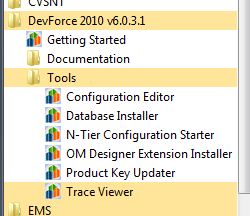 If within Visual Studio 2010 how do I access it? The extension is installed correctly. 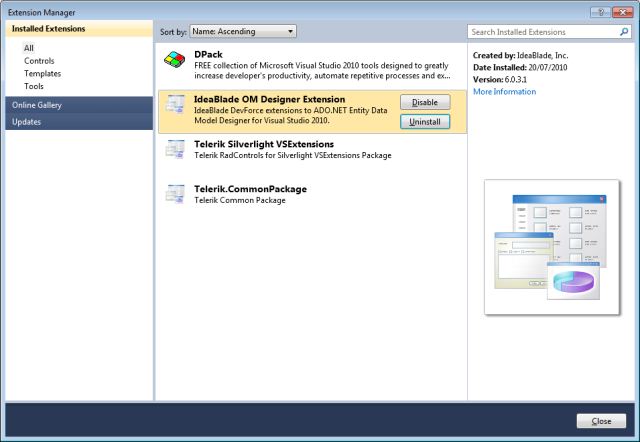 I do not need it? vvvvvv 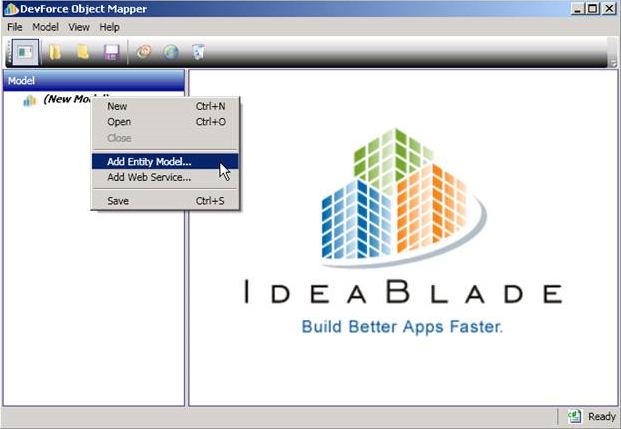 All the examples I find are based on the version that contains the Tool menu> ... Thanks. |
Posted By: bassvix
Date Posted: 21-Jul-2010 at 6:40am
|
Ok I
found the reason, DevForce 2010 is integrated with VS2010 when editing
EDMX, very good! But despite that, I was looking at details in the "release notes" PDF and saw a difference in the documentation (below in green): This is the example "DF2010_Tour_Pt_5_cs602. See yellow ticks. 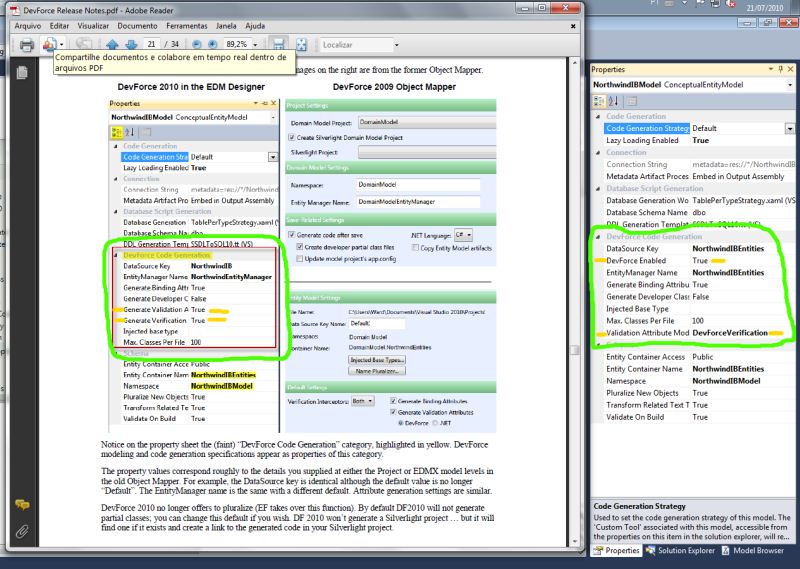 |